Buy secretdates.eu ?
We are moving the project
secretdates.eu .
Are you interested in purchasing the domain
secretdates.eu ?
domain@kv-gmbh.de · 0541-91531010
Buy secretdates.eu ?
What is the difference between Microsoft Office 2019 and Microsoft Office 365?
Microsoft Office 2019 is a one-time purchase that includes classic applications such as Word, Excel, and PowerPoint. It does not receive new features or updates after the initial purchase, and users are required to pay for any future upgrades. On the other hand, Microsoft Office 365 is a subscription-based service that includes the latest versions of the Office applications, as well as other productivity services such as OneDrive and Skype. Office 365 subscribers receive regular updates and new features, and have the flexibility to access their applications and files from any device with an internet connection. **
Why does my Microsoft 365 Standard deactivate monthly?
Microsoft 365 Standard deactivates monthly because it is a subscription-based service that requires a monthly renewal to continue accessing the software and services. This model allows users to have the most up-to-date version of the software and ensures that Microsoft can provide ongoing support and updates. By deactivating monthly, Microsoft can also monitor usage and adjust subscription levels as needed. **

Similar search terms for Microsoft-Office-2024-Standard
Top-Angebote
Products related to Microsoft-Office-2024-Standard:
-
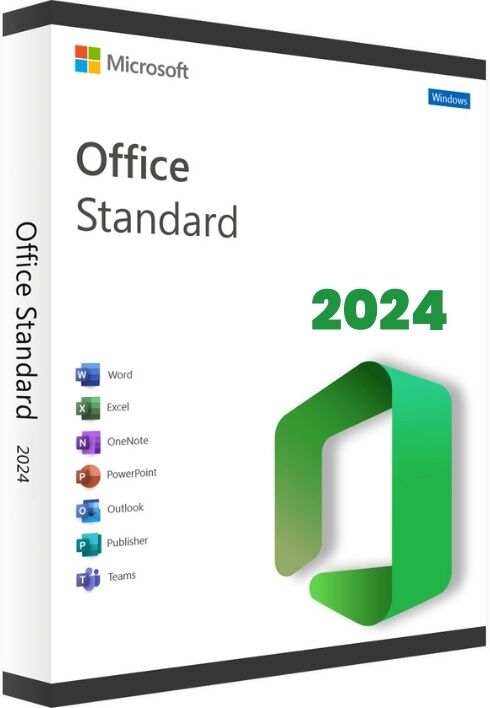
Microsoft OFFICE 2024 STANDARD - for lifeImportant Note: Please note that Office 2024 is not activated via setup.office.com. Microsoft Office 2024 Standard LTSC is the latest advanced version of Microsoft’s productivity suite, designed for businesses and professional users. Thanks to Long-Term Servicing Channel (LTSC) support, it offers long-term stability without frequent updates, making it ideal for organisations that require reliable software over extended periods. What does Microsoft Office 2024 Standard include? Word: Document creation and editing. Excel: Spreadsheets and advanced analysis. PowerPoint: Presentations with enhanced tools. Outlook: Email and calendar management. Access: Database management. Installation and Activation: After purchase, you will receive the official download link and licence code to activate Office 2024 LTSC. Follow these steps: Uninstall previous Office versions to avoid conflicts. Download the installation package via the link provided. Use the licence code to activate the software by following the guide provided. Why is it not available on setup.office.com? Office 2024 LTSC cannot be downloaded from setup.office.com, as Microsoft has chosen a separate distribution process for LTSC versions, optimising offline installation for internet-restricted environments. Who is Office 2024 LTSC intended for? Large companies and government institutions: where stability and long-term support are crucial. IT professionals and educational institutions: for offline access to powerful tools without frequent updates. Microsoft Office 2024 Standard LTSC offers reliability, stability and a robust set of features for long-term use.5,06 £*Shipping: 0,00 £Secure redirect to the provider
-
Microsoft Office 2024 Professional PlusMicrosoft Office 2024 Professional Plus (LTSC) is the most complete one-time-purchase Office for Windows: Word, Excel, PowerPoint, Outlook, OneNote and Access. Microsoft provides security updates until 9 October 2029, and there is no Microsoft 365 subscription to renew. Please note: Office LTSC 2024 is not redeemed at setup.office.com and is not added to a Microsoft account. You install it with the download link we email and enter the key inside Office to activate it. Apps included App Professional Plus 2024 Standard 2024 Word, Excel, PowerPoint Yes Yes Outlook, OneNote Yes Yes Access (desktop database) Yes No Publisher No No Teams Separate free download Separate free download Access is the reason to choose Professional Plus. Many accounting, stock-control and reporting tools store their data in Access databases. If you never open one, Microsoft Office 2024 Standard gives you the other apps for less. Microsoft retires Publisher in October 2026, so no 2024 edition includes it. What's new compared with Office 2021 Excel: dynamic charts that grow with dynamic arrays, 14 new text and array functions such as TEXTSPLIT and VSTACK, and the IMAGE function for pictures inside cells. Faster switching between large workbooks and support for OpenDocument Format 1.4. Accessibility tools gathered in one ribbon, plus refreshed design across the apps. Our article What's new in Office 2024 covers the changes app by app. Why LTSC instead of Microsoft 365? LTSC (Long-Term Servicing Channel) means a fixed feature set: Office 2024 receives security fixes but no new features, so it behaves the same way for the next five years. That suits offices that want predictable software, PCs that rarely go online and anyone who prefers paying once. Microsoft 365 is the alternative if you want cloud storage and features that change every month. Installation and activation Uninstall any older Office version from the PC first. Use the download link and instructions in your email to install Office LTSC 2024. Open Word or Excel and enter the 25-character key when asked, or go to File > Account > Change Product Key. Requirements Operating system: Windows 11. Windows 10 support ended on 14 October 2025, so Microsoft no longer supports Office on it. Upgrade with Windows 11 Pro if needed. Hardware: 1.1 GHz dual-core processor, 4 GB RAM, 4 GB free disk space, 1280 x 768 display. Mac: this edition is Windows only. See Office 2024 Home & Business for Mac. Office 2024 Professional Plus FAQ Is this a one-time purchase? Yes. There are no monthly or yearly fees. How many PCs does the key cover? One Windows PC. Does it include Visio or Project? No. They are sold separately: Visio 2024 Professional and Project 2024 Professional. Can I reinstall it after formatting my PC? Office LTSC 2024 is not tied to a Microsoft account, so keep your key and email safe. If you run into problems reactivating, contact us. Compare both editions on the Office 2024 page.39,99 £*Shipping: 0,00 £Secure redirect to the provider
-
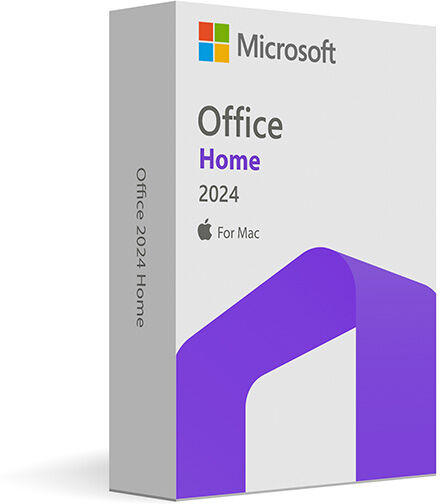
Microsoft Office Home 2024 for MacMicrosoft Office Home 2024 for Mac Take your productivity to the next level with Microsoft Office Home 2024 for Mac. Specifically optimized for macOS, this suite includes the essential tools you need to stay efficient, organized, and creative, all in one package. Whether working from home, studying, or managing personal projects, Office Home 2024 provides seamless compatibility with macOS and intuitive features to enhance your workflow. Key Features: Includes Essential Applications: Gain access to the full versions of Microsoft Word, Excel, and PowerPoint. This package allows you to create stunning documents, spreadsheets, and presentations, and manage your email seamlessly. Optimized for macOS: Designed specifically for Mac users, Office 2024 takes full advantage of macOS features like dark mode, trackpad gestures, and retina display. Experience smoother performance and full compatibility across your Apple devices. Collaborative Tools: Share and collaborate with friends, family, or colleagues in real-time. Use OneDrive to store your files in the cloud, ensuring your documents are always up to date and accessible from anywhere. Smart AI Features: Leverage the power of Microsoft’s AI to assist with writing, data analysis, and presentations. From grammar and style suggestions in Word to powerful data insights in Excel, Office 2024 helps you work smarter, not harder. Seamless Cloud Integration: With 1TB of OneDrive cloud storage, you can securely store and sync your files across devices. Access and share your work anytime, anywhere. Advanced Security: Protect your data with built-in security features, including data encryption and multi-factor authentication, ensuring your documents remain safe and private. One-Time Purchase, Lifetime Access: With Office Home 2024, there’s no subscription required. Buy once, install, and enjoy lifetime access to these powerful tools without ongoing fees. System Requirements: macOS 11.0 (Big Sur) or later 4GB RAM or more 10GB available hard disk space 1280 x 800 screen resolution or higher82,17 £*Shipping: 0,00 £Secure redirect to the provider
-
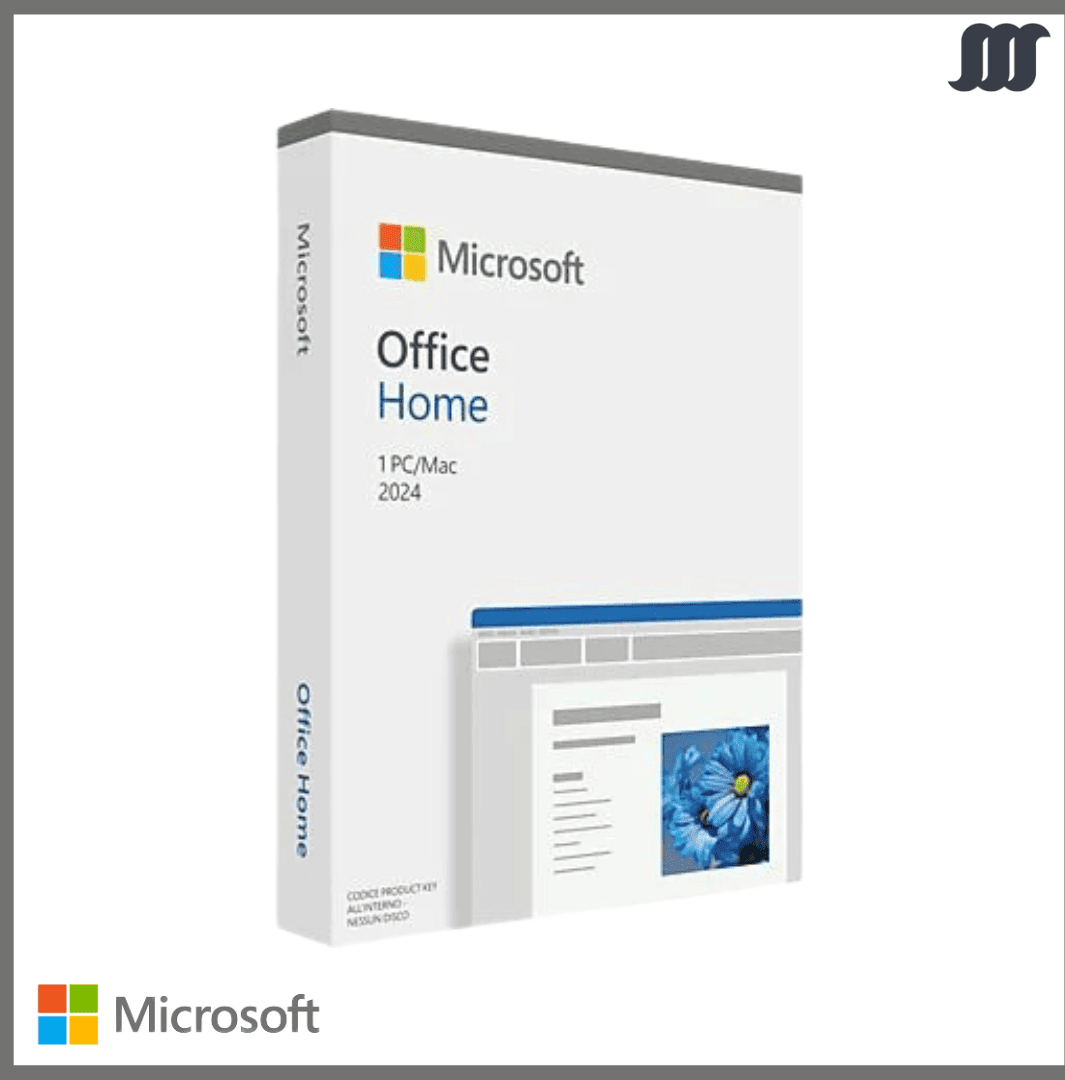
Microsoft Office Home 2024 for WindowsMicrosoft Office Home 2024 for Windows Unlock new levels of productivity with Microsoft Office Home 2024 for Windows. This suite provides all the essential tools you need to work efficiently, stay organized, and get creative, whether at home or in a professional setting. With seamless compatibility with Windows, Office Home 2024 offers a comprehensive package to meet all your document, data, and presentation needs. Key Features: Full Suite of Applications: Get access to the latest versions of Microsoft Word, Excel, PowerPoint, and Outlook. Create and edit documents, spreadsheets, and presentations effortlessly while managing your emails and schedules efficiently. Optimized for Windows: Microsoft Office Home 2024 is specifically designed for Windows, ensuring maximum performance and full compatibility with Windows 10 and 11. It integrates seamlessly with your operating system, utilizing features like touchscreen support and Windows ink for enhanced interaction. Collaborative Capabilities: Collaborate in real-time with friends, family, or co-workers. With OneDrive integration, you can store, share, and work on files with others, ensuring your projects are always synced and accessible from anywhere. Smart AI Tools: Take advantage of AI-powered features across the suite. Use writing suggestions in Word, smart templates in PowerPoint, and advanced data insights in Excel to work faster and more effectively. Cloud Storage & Sharing: Enjoy 1TB of OneDrive storage to keep all your files secure and accessible from any device. Whether you're working on a document, spreadsheet, or presentation, your work is automatically synced across all your devices. System Requirements: Windows 10 or Windows 11 4GB RAM or more 10GB available hard disk space 1280 x 800 screen resolution or higher89,64 £*Shipping: 0,00 £Secure redirect to the provider



-
How can I upgrade from Microsoft Office 2007 to Microsoft Office 2019 without losing data?
To upgrade from Microsoft Office 2007 to Microsoft Office 2019 without losing data, you can follow these steps: 1. Backup your important files and data from Microsoft Office 2007 to an external storage device or cloud storage. 2. Uninstall Microsoft Office 2007 from your computer. 3. Install Microsoft Office 2019 on your computer. 4. During the installation process, choose the option to keep your files and settings to ensure that your data is retained. By following these steps, you can upgrade to Microsoft Office 2019 without losing any of your important data. **
-
How can Microsoft Office be restored?
Microsoft Office can be restored by reinstalling the software from the original installation files or by using the "Repair" option in the Control Panel. If the issue is related to a specific program within the Office suite, such as Word or Excel, you can try repairing or reinstalling that specific program. Additionally, if the problem is related to a corrupted user profile, creating a new user profile and reinstalling Office may resolve the issue. If all else fails, contacting Microsoft support for further assistance may be necessary. **
-
Why can't Microsoft Office be installed?
Microsoft Office cannot be installed because it is not supported on the platform or device being used. For example, Microsoft Office may not be compatible with a particular operating system or hardware configuration. Additionally, the device may not meet the minimum system requirements for installing Microsoft Office. Finally, there may be restrictions or limitations on the device that prevent the installation of third-party software like Microsoft Office. **
-
Has my Microsoft Office subscription expired?
To check if your Microsoft Office subscription has expired, you can log in to your Microsoft account and go to the Services & Subscriptions section. Here, you can view the status of your Office subscription and see if it has expired or is still active. Additionally, you may receive notifications or emails from Microsoft informing you about the expiration of your subscription. If you are still unsure, you can contact Microsoft customer support for further assistance. **
Which smartwatch supports Microsoft Office Word?
As of now, the Apple Watch does not support Microsoft Office Word. However, there are other smartwatches that are compatible with Microsoft Office Word, such as the Samsung Galaxy Watch and the Fitbit Versa. These smartwatches allow users to view and edit Word documents directly from their wrist, making it convenient for users who need to access and work on Word documents on the go. **
How can I renew Microsoft Office?
To renew Microsoft Office, you can either purchase a subscription directly from the Microsoft website or through a licensed retailer. Once you have purchased the subscription, you can renew it by signing into your Microsoft account and navigating to the subscription management page. From there, you can choose to renew your subscription and make the necessary payment to continue using Microsoft Office. Additionally, if you have set up auto-renewal for your subscription, it will automatically renew at the end of the subscription period. **
Top-Angebote
Products related to Microsoft-Office-2024-Standard:
-
Microsoft Office 2024 StandardMicrosoft Office 2024 Standard (LTSC) gives a Windows PC the five apps most people use every day: Word, Excel, PowerPoint, Outlook and OneNote. Pay once, get Microsoft security updates until 9 October 2029, and skip the Microsoft 365 subscription. Please note: Office LTSC 2024 is not activated through setup.office.com and does not appear in a Microsoft account. Install it from the link we send by email, then type the key into Office. Standard or Professional Plus? The only difference is Microsoft Access. Standard has everything else, which covers letters, reports, spreadsheets, presentations, email and notes for most homes, schools and small businesses. Choose Standard if no one on the PC works with Access databases. Choose Professional Plus if your accounting, CRM or stock software uses Access, or you build databases yourself. Publisher is not in either 2024 edition because Microsoft retires it in October 2026. Highlights of the 2024 apps Excel charts that resize as dynamic array results grow, new functions like TEXTBEFORE, TEXTAFTER and CHOOSEROWS, and images placed directly in cells. Better handling of several open workbooks and OpenDocument Format 1.4 files. One accessibility ribbon to find and fix issues before you share a document. Read more in What's new in Office 2024. A fixed version for five years As an LTSC release, Office 2024 Standard gets security fixes only, with no feature changes along the way. Menus stay where your team learned them, which is why many small offices prefer it to Microsoft 365. Getting started Remove earlier Office versions from the computer. Follow the emailed download link and instructions to install Office LTSC 2024 Standard. Start any Office app and enter your key, or add it later under File > Account > Change Product Key. System requirements Windows: Windows 11 is required for Microsoft support, as Windows 10 support ended on 14 October 2025. Need an upgrade? See Windows 11 Home or Windows 11 Pro. PC: dual-core 1.1 GHz processor, 4 GB of RAM, 4 GB of free storage and a 1280 x 768 screen. Mac users: Windows keys do not work on macOS; see Office for Mac. Office 2024 Standard FAQ Can I open Access files with Standard? No. Access databases need Professional Plus. Is the licence for one computer? Yes, one Windows PC. Are there renewal fees? None. You buy it once. Older versions and both 2024 editions are listed on the Office for PC page.29,99 £*Shipping: 0,00 £Secure redirect to the provider
-
Microsoft Office 2024 Standard ( Windows only )Introducing Microsoft Office Standard 2024 Elevate your productivity with Microsoft Office Standard 2024, the powerful suite designed to enhance teamwork, simplify workflows, and integrate AI-driven assistance. Perfect for personal and professional use, this version builds on trusted Office applications with new features that streamline every task. (Only for windows 10/11) Key Features of Microsoft Office Standard 2024 Enhanced Collaboration Tools Real-Time Co-Authoring: Work seamlessly with colleagues, with real-time updates across all applications. Advanced Version Control: Easily track document changes and revert to previous versions as needed. AI-Powered Enhancements Copilot AI Integration: Your intelligent assistant for drafting content, generating summaries, and providing contextual suggestions. Improved Grammar and Style Suggestions: Real-time grammar and style support across Word, PowerPoint, and Outlook. Excel Upgrades Advanced-Data Visualization: Utilize new dynamic arrays and enhanced chart types for clearer insights. Expanded Data Connectivity: Link to a broader range of data sources for robust data analysis. PowerPoint Innovations AI-Driven Design Suggestions: Let AI assist in generating slides and design improvements. Enhanced Video and Animation Effects: Craft engaging presentations with upgraded animation and video options. Outlook Features AI-Based Clutter Management: Maintain an organized inbox with intelligent email sorting. Smart Scheduling and Reminders: Integrated calendar tools for effective time management. Security and Compliance Enhanced Data Encryption: Ensures compliance with international standards, protecting sensitive information. Identity and Access Management: Advanced tools for managing user identity and secure access. Accessibility Improvements Robust Accessibility Tools: Create content with accessibility in mind, enabling equal access for all users. Comprehensive Screen Reader Support: Fully supports screen readers and other assistive technologies. Integration with Microsoft Teams Seamless Integration: Access Office apps directly within Teams for optimized workflow. Streamlined Collaboration: New tools for effective meetings and enhanced team collaboration. Microsoft Office Standard 2024 empowers individuals and teams with cutting-edge tools for an efficient, secure, and collaborative work experience.15,19 £*Shipping: 0,00 £Secure redirect to the provider
-
Microsoft OFFICE 2024 STANDARD - for lifeImportant Note: Please note that Office 2024 is not activated via setup.office.com. Microsoft Office 2024 Standard LTSC is the latest advanced version of Microsoft’s productivity suite, designed for businesses and professional users. Thanks to Long-Term Servicing Channel (LTSC) support, it offers long-term stability without frequent updates, making it ideal for organisations that require reliable software over extended periods. What does Microsoft Office 2024 Standard include? Word: Document creation and editing. Excel: Spreadsheets and advanced analysis. PowerPoint: Presentations with enhanced tools. Outlook: Email and calendar management. Access: Database management. Installation and Activation: After purchase, you will receive the official download link and licence code to activate Office 2024 LTSC. Follow these steps: Uninstall previous Office versions to avoid conflicts. Download the installation package via the link provided. Use the licence code to activate the software by following the guide provided. Why is it not available on setup.office.com? Office 2024 LTSC cannot be downloaded from setup.office.com, as Microsoft has chosen a separate distribution process for LTSC versions, optimising offline installation for internet-restricted environments. Who is Office 2024 LTSC intended for? Large companies and government institutions: where stability and long-term support are crucial. IT professionals and educational institutions: for offline access to powerful tools without frequent updates. Microsoft Office 2024 Standard LTSC offers reliability, stability and a robust set of features for long-term use.5,06 £*Shipping: 0,00 £Secure redirect to the provider
-
Microsoft Office 2024 Professional PlusMicrosoft Office 2024 Professional Plus (LTSC) is the most complete one-time-purchase Office for Windows: Word, Excel, PowerPoint, Outlook, OneNote and Access. Microsoft provides security updates until 9 October 2029, and there is no Microsoft 365 subscription to renew. Please note: Office LTSC 2024 is not redeemed at setup.office.com and is not added to a Microsoft account. You install it with the download link we email and enter the key inside Office to activate it. Apps included App Professional Plus 2024 Standard 2024 Word, Excel, PowerPoint Yes Yes Outlook, OneNote Yes Yes Access (desktop database) Yes No Publisher No No Teams Separate free download Separate free download Access is the reason to choose Professional Plus. Many accounting, stock-control and reporting tools store their data in Access databases. If you never open one, Microsoft Office 2024 Standard gives you the other apps for less. Microsoft retires Publisher in October 2026, so no 2024 edition includes it. What's new compared with Office 2021 Excel: dynamic charts that grow with dynamic arrays, 14 new text and array functions such as TEXTSPLIT and VSTACK, and the IMAGE function for pictures inside cells. Faster switching between large workbooks and support for OpenDocument Format 1.4. Accessibility tools gathered in one ribbon, plus refreshed design across the apps. Our article What's new in Office 2024 covers the changes app by app. Why LTSC instead of Microsoft 365? LTSC (Long-Term Servicing Channel) means a fixed feature set: Office 2024 receives security fixes but no new features, so it behaves the same way for the next five years. That suits offices that want predictable software, PCs that rarely go online and anyone who prefers paying once. Microsoft 365 is the alternative if you want cloud storage and features that change every month. Installation and activation Uninstall any older Office version from the PC first. Use the download link and instructions in your email to install Office LTSC 2024. Open Word or Excel and enter the 25-character key when asked, or go to File > Account > Change Product Key. Requirements Operating system: Windows 11. Windows 10 support ended on 14 October 2025, so Microsoft no longer supports Office on it. Upgrade with Windows 11 Pro if needed. Hardware: 1.1 GHz dual-core processor, 4 GB RAM, 4 GB free disk space, 1280 x 768 display. Mac: this edition is Windows only. See Office 2024 Home & Business for Mac. Office 2024 Professional Plus FAQ Is this a one-time purchase? Yes. There are no monthly or yearly fees. How many PCs does the key cover? One Windows PC. Does it include Visio or Project? No. They are sold separately: Visio 2024 Professional and Project 2024 Professional. Can I reinstall it after formatting my PC? Office LTSC 2024 is not tied to a Microsoft account, so keep your key and email safe. If you run into problems reactivating, contact us. Compare both editions on the Office 2024 page.39,99 £*Shipping: 0,00 £Secure redirect to the provider
-
What is the difference between Microsoft Office 2019 and Microsoft Office 365?
Microsoft Office 2019 is a one-time purchase that includes classic applications such as Word, Excel, and PowerPoint. It does not receive new features or updates after the initial purchase, and users are required to pay for any future upgrades. On the other hand, Microsoft Office 365 is a subscription-based service that includes the latest versions of the Office applications, as well as other productivity services such as OneDrive and Skype. Office 365 subscribers receive regular updates and new features, and have the flexibility to access their applications and files from any device with an internet connection. **
-
Why does my Microsoft 365 Standard deactivate monthly?
Microsoft 365 Standard deactivates monthly because it is a subscription-based service that requires a monthly renewal to continue accessing the software and services. This model allows users to have the most up-to-date version of the software and ensures that Microsoft can provide ongoing support and updates. By deactivating monthly, Microsoft can also monitor usage and adjust subscription levels as needed. **
-
How can I upgrade from Microsoft Office 2007 to Microsoft Office 2019 without losing data?
To upgrade from Microsoft Office 2007 to Microsoft Office 2019 without losing data, you can follow these steps: 1. Backup your important files and data from Microsoft Office 2007 to an external storage device or cloud storage. 2. Uninstall Microsoft Office 2007 from your computer. 3. Install Microsoft Office 2019 on your computer. 4. During the installation process, choose the option to keep your files and settings to ensure that your data is retained. By following these steps, you can upgrade to Microsoft Office 2019 without losing any of your important data. **
-
How can Microsoft Office be restored?
Microsoft Office can be restored by reinstalling the software from the original installation files or by using the "Repair" option in the Control Panel. If the issue is related to a specific program within the Office suite, such as Word or Excel, you can try repairing or reinstalling that specific program. Additionally, if the problem is related to a corrupted user profile, creating a new user profile and reinstalling Office may resolve the issue. If all else fails, contacting Microsoft support for further assistance may be necessary. **
Similar search terms for Microsoft-Office-2024-Standard
-
Microsoft Office Home 2024 for MacMicrosoft Office Home 2024 for Mac Take your productivity to the next level with Microsoft Office Home 2024 for Mac. Specifically optimized for macOS, this suite includes the essential tools you need to stay efficient, organized, and creative, all in one package. Whether working from home, studying, or managing personal projects, Office Home 2024 provides seamless compatibility with macOS and intuitive features to enhance your workflow. Key Features: Includes Essential Applications: Gain access to the full versions of Microsoft Word, Excel, and PowerPoint. This package allows you to create stunning documents, spreadsheets, and presentations, and manage your email seamlessly. Optimized for macOS: Designed specifically for Mac users, Office 2024 takes full advantage of macOS features like dark mode, trackpad gestures, and retina display. Experience smoother performance and full compatibility across your Apple devices. Collaborative Tools: Share and collaborate with friends, family, or colleagues in real-time. Use OneDrive to store your files in the cloud, ensuring your documents are always up to date and accessible from anywhere. Smart AI Features: Leverage the power of Microsoft’s AI to assist with writing, data analysis, and presentations. From grammar and style suggestions in Word to powerful data insights in Excel, Office 2024 helps you work smarter, not harder. Seamless Cloud Integration: With 1TB of OneDrive cloud storage, you can securely store and sync your files across devices. Access and share your work anytime, anywhere. Advanced Security: Protect your data with built-in security features, including data encryption and multi-factor authentication, ensuring your documents remain safe and private. One-Time Purchase, Lifetime Access: With Office Home 2024, there’s no subscription required. Buy once, install, and enjoy lifetime access to these powerful tools without ongoing fees. System Requirements: macOS 11.0 (Big Sur) or later 4GB RAM or more 10GB available hard disk space 1280 x 800 screen resolution or higher82,17 £*Shipping: 0,00 £Secure redirect to the provider
-
Microsoft Office Home 2024 for WindowsMicrosoft Office Home 2024 for Windows Unlock new levels of productivity with Microsoft Office Home 2024 for Windows. This suite provides all the essential tools you need to work efficiently, stay organized, and get creative, whether at home or in a professional setting. With seamless compatibility with Windows, Office Home 2024 offers a comprehensive package to meet all your document, data, and presentation needs. Key Features: Full Suite of Applications: Get access to the latest versions of Microsoft Word, Excel, PowerPoint, and Outlook. Create and edit documents, spreadsheets, and presentations effortlessly while managing your emails and schedules efficiently. Optimized for Windows: Microsoft Office Home 2024 is specifically designed for Windows, ensuring maximum performance and full compatibility with Windows 10 and 11. It integrates seamlessly with your operating system, utilizing features like touchscreen support and Windows ink for enhanced interaction. Collaborative Capabilities: Collaborate in real-time with friends, family, or co-workers. With OneDrive integration, you can store, share, and work on files with others, ensuring your projects are always synced and accessible from anywhere. Smart AI Tools: Take advantage of AI-powered features across the suite. Use writing suggestions in Word, smart templates in PowerPoint, and advanced data insights in Excel to work faster and more effectively. Cloud Storage & Sharing: Enjoy 1TB of OneDrive storage to keep all your files secure and accessible from any device. Whether you're working on a document, spreadsheet, or presentation, your work is automatically synced across all your devices. System Requirements: Windows 10 or Windows 11 4GB RAM or more 10GB available hard disk space 1280 x 800 screen resolution or higher89,64 £*Shipping: 0,00 £Secure redirect to the provider
-
Microsoft Office Home 2024 for macOSMicrosoft Office Home 2024 for macOS is designed to provide a comprehensive suite of productivity tools tailored specifically for Apple Mac users. This edition includes the essential applications that millions rely on for everyday tasks, such as Word, Excel, PowerPoint, and Outlook, all optimised to work seamlessly within the macOS environment. With Microsoft Office Home 2024, you can create professional documents, engaging presentations, and detailed spreadsheets with the latest features and updates directly integrated into familiar interfaces. The software offers improved performance on Mac computers, taking full advantage of macOS capabilities to ensure smooth and responsive operation. Word allows you to craft rich text documents with powerful editing and formatting tools, perfect for writing reports, essays, and letters. Excel provides robust data analysis and visualisation functions, helping you manage budgets, track expenses, or organise information efficiently. PowerPoint enables you to design compelling presentations with multimedia support, animations, and templates suitable for both personal and professional use. Outlook integrates email, calendar, and contacts, making communication and scheduling easier to manage in one unified application. The suite also benefits from Microsoft's cloud services, allowing you to save documents on OneDrive, access files from multiple devices, and collaborate with others in real time if desired. Installing Microsoft Office Home 2024 on your Mac means you have access to a trusted set of tools that combine ease of use with powerful functionality. Whether for home projects, study, or light professional work, this edition offers a reliable and up-to-date solution to keep you productive. As an official product available at Omega Keys UK, you can be confident in its authenticity and compatibility with your Apple Mac. The package comes ready for download and installation, and once set up, you will benefit from Microsoft's ongoing support and updates specific to the macOS platform. In summary, Microsoft Office Home 2024 for macOS is a carefully crafted office suite that meets the needs of Mac users looking for robust productivity software. Its integration with the Mac operating system and inclusion of essential applications make it a versatile choice for a wide range of tasks at home or for personal projects.249,99 £*Shipping: 0,00 £Secure redirect to the provider
-
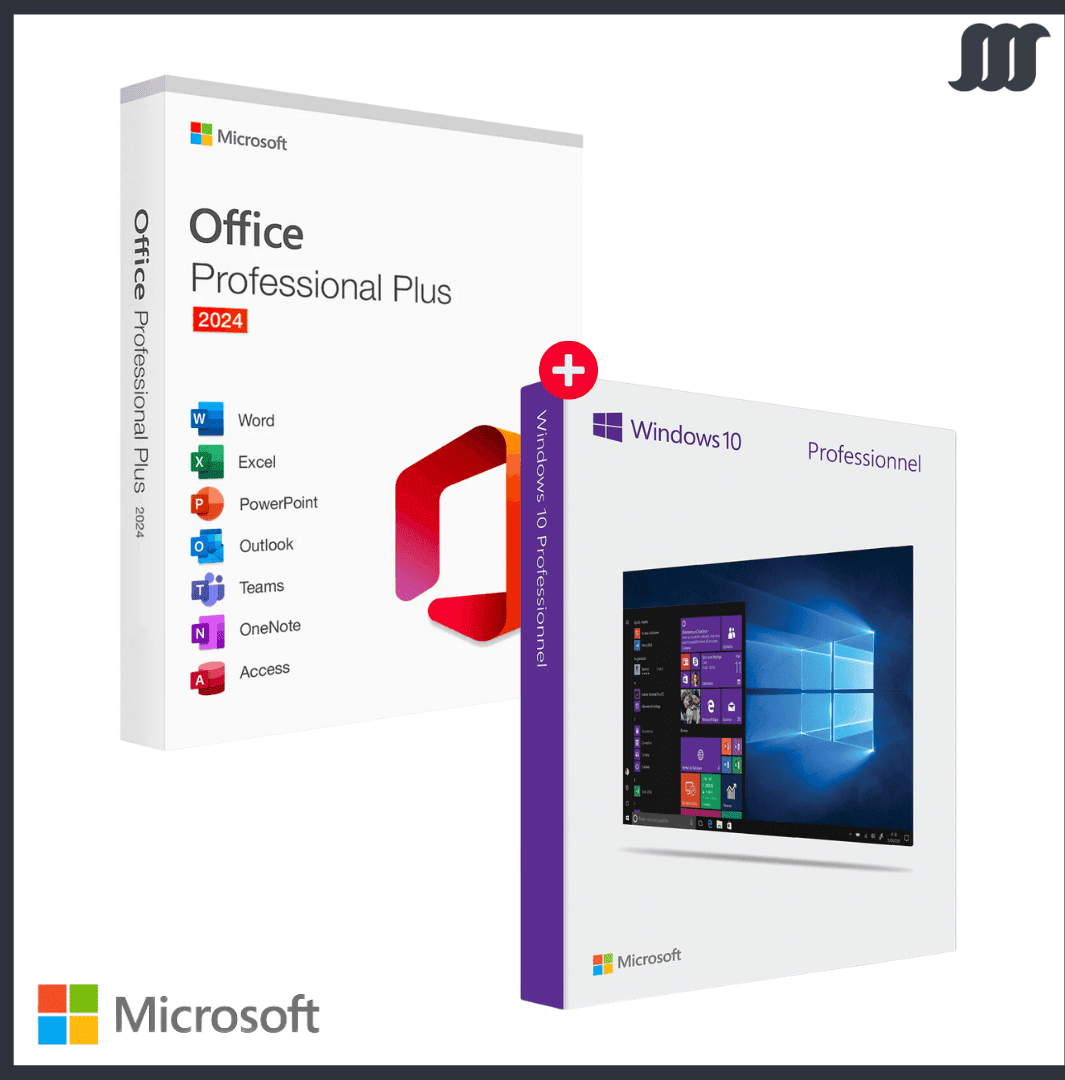
Microsoft Office 2024 Professional Plus + Microsoft Windows 10 Professional (Bundel)Microsoft Office 2024 Professional Plus + Microsoft Windows 10 Professional (1 Device) Boost your productivity and security with this powerful bundle tailored for a single device. Ideal for professionals and small businesses, this package combines Microsoft Office 2024 Professional Plus with the stability of Windows 10 Professional, offering an optimized, efficient workspace. Key Features Microsoft Office 2024 Professional Plus Comprehensive Office Suite: Get access to essential applications, including Word, Excel, PowerPoint, Outlook, Access, and Publisher. Real-Time Collaboration: Collaborate seamlessly with co-authoring and Microsoft Teams integration. AI-Powered Assistance: Utilize Copilot AI for drafting, design, and content suggestions. Advanced Security: Enhanced encryption and identity tools for secure, compliant work. Microsoft Windows 10 Professional Enhanced Security for Professionals: BitLocker, Windows Defender, and advanced access management. Optimized Workflow: Multitask efficiently with virtual desktops and snap features. Remote Access: Access your device from anywhere with Remote Desktop. High Compatibility: Built for stability and compatibility with various applications. Why Choose This Bundle? Microsoft Office 2024 Pro Plus + Windows 10 Pro (1 Device): Designed for those who need reliable, secure productivity tools on a single device, this bundle provides the latest in Office software alongside the trusted features of Windows 10 Professional. Perfect for professionals looking to streamline and safeguard their workflow.26,39 £*Shipping: 0,00 £Secure redirect to the provider
-
Why can't Microsoft Office be installed?
Microsoft Office cannot be installed because it is not supported on the platform or device being used. For example, Microsoft Office may not be compatible with a particular operating system or hardware configuration. Additionally, the device may not meet the minimum system requirements for installing Microsoft Office. Finally, there may be restrictions or limitations on the device that prevent the installation of third-party software like Microsoft Office. **
-
Has my Microsoft Office subscription expired?
To check if your Microsoft Office subscription has expired, you can log in to your Microsoft account and go to the Services & Subscriptions section. Here, you can view the status of your Office subscription and see if it has expired or is still active. Additionally, you may receive notifications or emails from Microsoft informing you about the expiration of your subscription. If you are still unsure, you can contact Microsoft customer support for further assistance. **
-
Which smartwatch supports Microsoft Office Word?
As of now, the Apple Watch does not support Microsoft Office Word. However, there are other smartwatches that are compatible with Microsoft Office Word, such as the Samsung Galaxy Watch and the Fitbit Versa. These smartwatches allow users to view and edit Word documents directly from their wrist, making it convenient for users who need to access and work on Word documents on the go. **
-
How can I renew Microsoft Office?
To renew Microsoft Office, you can either purchase a subscription directly from the Microsoft website or through a licensed retailer. Once you have purchased the subscription, you can renew it by signing into your Microsoft account and navigating to the subscription management page. From there, you can choose to renew your subscription and make the necessary payment to continue using Microsoft Office. Additionally, if you have set up auto-renewal for your subscription, it will automatically renew at the end of the subscription period. **
* All prices are inclusive of VAT and, if applicable, plus shipping costs. The offer information is based on the details provided by the respective shop and is updated through automated processes. Real-time updates do not occur, so deviations can occur in individual cases. ** Note: Parts of this content were created by AI.