Buy secretdates.eu ?
We are moving the project
secretdates.eu .
Are you interested in purchasing the domain
secretdates.eu ?
domain@kv-gmbh.de · 0541-91531010
Buy secretdates.eu ?
How can I show hidden apps on the Galaxy S3?
To show hidden apps on the Galaxy S3, you can go to the App Drawer and tap on the three dots in the top right corner. From there, select "Hide apps" and you will see a list of all the hidden apps. You can then uncheck the apps you want to show again. Alternatively, you can go to the Settings, then to the Application Manager, and look for the hidden app there to unhide it. **
How can I display hidden apps on the Galaxy S3?
To display hidden apps on the Galaxy S3, you can go to the App Drawer and tap on the three dots in the top right corner. From there, select "Hide apps" and you will see a list of all the hidden apps. You can then uncheck the apps you want to unhide and they will reappear in the App Drawer. **


Similar search terms for Galaxy
Top-Angebote
Products related to Galaxy:
-
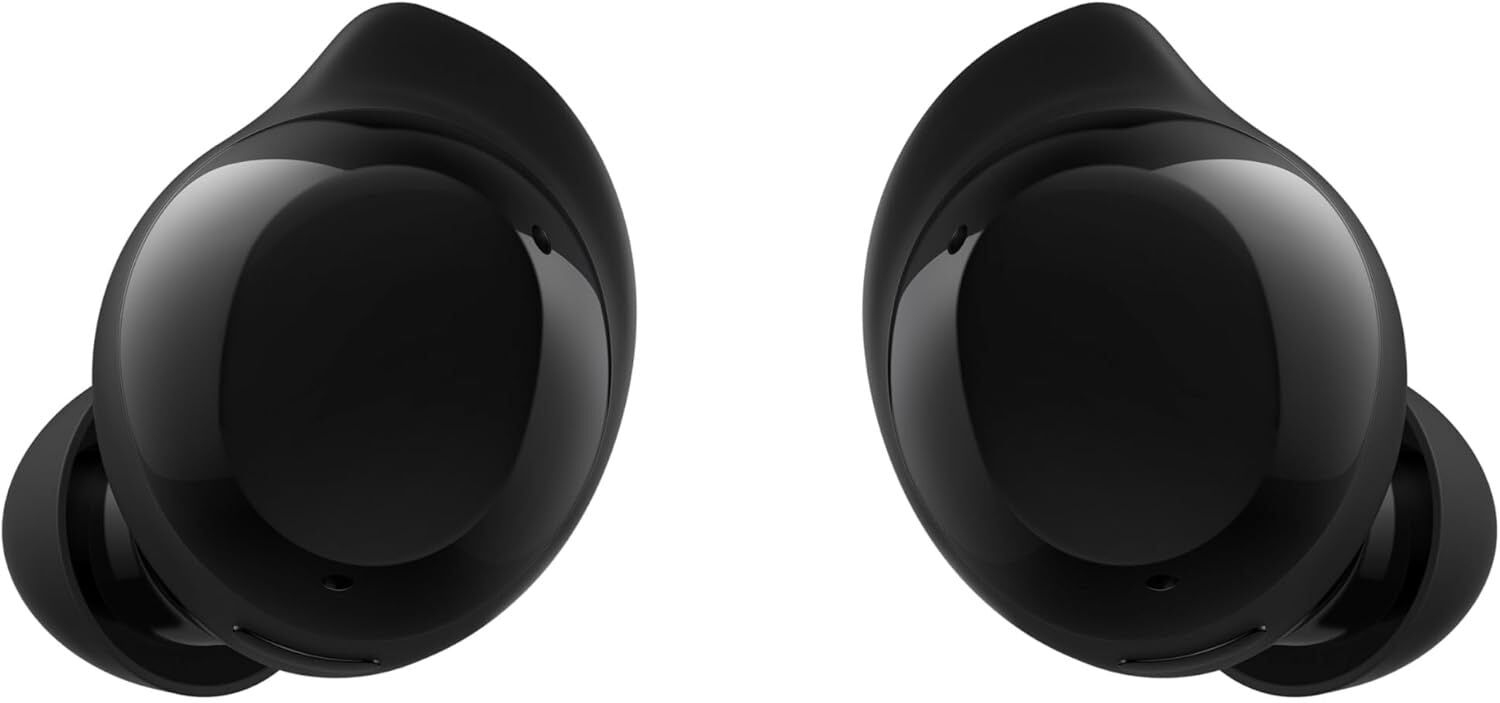
SAMSUNG Galaxy Buds Core – ANC, Galaxy AI Voice Translation, BlackThe Samsung Galaxy Buds Core (Black) deliver premium wireless sound with Active Noise Cancellation (ANC), Galaxy AI voice translation, long-lasting battery life, and water-resistant design, perfect for work, travel, and everyday listening. Overview: Experience next-level wireless audio with the Samsung Galaxy Buds Core. Designed for seamless integration with Galaxy devices, they feature ANC to block unwanted noise and Galaxy AI-powered voice translation to help you communicate across languages in real time. With all-day battery life, fast charging, and a water-resistant build, they’re built for both productivity and lifestyle. The comfortable in-ear fit and high-quality sound make them ideal for music, calls, and travel. Key Features: Active Noise Cancellation (ANC) – Block out distractions for immersive sound Galaxy AI Voice Translation – Real-time language translation through Galaxy AI Long Battery Life – All-day listening with quick charging support Water-Resistant Design – Durable and reliable for workouts or outdoor use Premium Sound Quality – Rich audio tuned for clarity and depth Comfortable In-Ear Fit – Secure, lightweight, and designed for all-day wear Seamless Galaxy Integration – Optimised for Samsung Galaxy devices and Android Smart Touch Controls – Easily manage music, calls, and settings Sleek Black Finish – Stylish and modern design Product Description: The Samsung Galaxy Buds Core – Black are designed to combine premium sound with smart, AI-powered features. With Active Noise Cancellation, you’ll enjoy immersive listening without distractions, while Galaxy AI voice translation breaks down language barriers in real time. Perfect for travel, work, or everyday use, the Buds Core offer long-lasting battery life, water-resistant durability, and seamless connectivity with Galaxy devices. Compact, stylish, and powerful, they’re built for music lovers, frequent travellers, and professionals alike.49,99 £*Shipping: 0,00 £Secure redirect to the provider
-
SAMSUNG Galaxy Z Flip8Samsung Galaxy Z Flip8 with a huge 512GB of storage, so there’s room for photos, apps and video without worrying about space. It’s a compact foldable that opens into a full-size phone. Network: [Unlocked to all UK networks] Key features 512GB storage with 12GB RAM 6.9" Dynamic AMOLED 2X main display, 120Hz adaptive refresh rate 4.1" Super AMOLED cover screen for notifications, quick replies and selfies without opening the phone 50MP main + 12MP ultra-wide rear cameras, 10MP front camera 4,300mAh battery 5G, Wi-Fi 7, Bluetooth 5.4, NFC, dual SIM (nano-SIM + eSIM) Android 17 with One UI Gorilla Glass Victus 2 on the front and an Armor Aluminium frame Slim, pocketable design: 180g, 13.1mm thick when folded In the box: [Phone, USB-C cable, SIM ejector pin, quick start guide. Charger not included.] Extras: [Seller warranty, e.g. 12 months / Tested and fully working / Factory reset and ready to use / Fast dispatch with tracked delivery] Notes Samsung doesn’t include a charger in the box, so say so clearly if you’re not supplying one. There’s no microSD slot, which is why the 512GB capacity is worth highlighting. Sources disagree on the processor. It looks like it differs by region (Snapdragon in some markets, Exynos in others), so I’ve left it out. Check the model number in your stock and add it if you want to.997,49 £*Shipping: 0,00 £Secure redirect to the provider
-
Phaidon Press Our Galaxy: A First Adventure in Space (Our World Collection) by Sue Lowell GallionA stunning addition to the bestselling Our World Collection, this colorful, creative picture book transforms into a freestanding globe. Explore our galactic home with this charming read-aloud introduction to astronomy. Beautifully illustrated and cleverly designed, Our Galaxy opens and folds back into a sturdy circular globe fastened by a hidden magnetic closure. Rhyming verse and lush illustrations teach young children about astronomical objects – from the planets in our solar neighborhood to faraway stars in the Milky Way. Secondary text offers more detailed, curriculum-focused facts and encourages children to learn about rockets, rovers, and other space technologies. Inspiring, informative, and one-of-a-kind, this artful homage to outer space is both an invitation to explore the night sky and an object to be treasured for years to come.9,99 £*Shipping: 2,99 £Secure redirect to the provider


-
How can I retrieve hidden photos on the Samsung Galaxy S20?
To retrieve hidden photos on the Samsung Galaxy S20, you can follow these steps: 1. Open the Gallery app on your phone. 2. Tap on the "Menu" icon (three vertical dots) in the top right corner. 3. Select "Settings" and then choose "Show hidden albums." 4. Once you've enabled the option to show hidden albums, you should be able to see and access your hidden photos within the Gallery app. **
-
How can I find hidden photos on the Samsung Galaxy S20?
To find hidden photos on the Samsung Galaxy S20, you can use the Secure Folder feature. Secure Folder allows you to store photos and other files in a separate, password-protected area on your device. To access hidden photos, open the Secure Folder app and enter your password or use biometric authentication. Once inside the Secure Folder, you can view and manage your hidden photos. **
-
What is an adventure romance book?
An adventure romance book is a genre of fiction that combines elements of both adventure and romance. These books typically feature a thrilling and action-packed plot, often involving travel, danger, and suspense. At the same time, they also focus on the development of a romantic relationship between the main characters, adding an emotional and personal dimension to the story. Adventure romance books often appeal to readers who enjoy both excitement and love stories, offering a blend of adrenaline-pumping escapades and heartwarming connections. **
-
What is the difference between Galaxy S10 and Galaxy S10e?
The main differences between the Galaxy S10 and Galaxy S10e are: 1. Size: The Galaxy S10 has a larger 6.1-inch display, while the Galaxy S10e has a smaller 5.8-inch display. 2. Cameras: The Galaxy S10 has a triple rear camera setup, including a telephoto lens, while the Galaxy S10e has a dual rear camera setup without the telephoto lens. 3. Fingerprint sensor: The Galaxy S10 has an in-display ultrasonic fingerprint sensor, while the Galaxy S10e has a side-mounted capacitive fingerprint sensor. 4. Battery capacity: The Galaxy S10 has a larger battery capacity compared to the Galaxy S10e. 5. Price: The Galaxy S10e is generally more affordable than the Galaxy S10. **


Are there adventure games without hidden object scenes?
Yes, there are adventure games that do not include hidden object scenes. These games focus more on exploration, puzzle-solving, and storytelling, rather than searching for hidden objects. They often involve navigating through different environments, interacting with characters, and uncovering clues to progress through the game. Some popular examples of adventure games without hidden object scenes include the "Myst" series, "The Walking Dead" series, and "Life is Strange." **
Will a Samsung Galaxy S6 case fit a Samsung Galaxy S7?
No, a Samsung Galaxy S6 case will not fit a Samsung Galaxy S7. The two phones have different dimensions and button placements, so the cases are not interchangeable. It is important to use a case specifically designed for the Samsung Galaxy S7 to ensure a proper fit and protection for the device. **
Top-Angebote
Products related to Galaxy:
-
Anker Ultimate Surprise Mystery BoxMystery Box Terms and Conditions By purchasing a blind box, you agree to the following: Each mystery box includes one item or one bundle valued at or above the purchase price. Contents are assigned at random and cannot be chosen, returned, or exchanged, except for verified quality issues. Mystery boxes are sold at full price and are not eligible for promotions or discounts. Product images are for reference only; actual colours may vary. Some items may only work with specific devices, and duplicates may occur when buying multiple boxes. Items may ship separately, with delivery times varying during peak periods. Limited quantities available. The promotion ends once sold out.212,99 £*Shipping: 0,00 £Secure redirect to the provider
-
SAMSUNG Galaxy Buds Core – ANC, Galaxy AI Voice Translation, BlackThe Samsung Galaxy Buds Core (Black) deliver premium wireless sound with Active Noise Cancellation (ANC), Galaxy AI voice translation, long-lasting battery life, and water-resistant design, perfect for work, travel, and everyday listening. Overview: Experience next-level wireless audio with the Samsung Galaxy Buds Core. Designed for seamless integration with Galaxy devices, they feature ANC to block unwanted noise and Galaxy AI-powered voice translation to help you communicate across languages in real time. With all-day battery life, fast charging, and a water-resistant build, they’re built for both productivity and lifestyle. The comfortable in-ear fit and high-quality sound make them ideal for music, calls, and travel. Key Features: Active Noise Cancellation (ANC) – Block out distractions for immersive sound Galaxy AI Voice Translation – Real-time language translation through Galaxy AI Long Battery Life – All-day listening with quick charging support Water-Resistant Design – Durable and reliable for workouts or outdoor use Premium Sound Quality – Rich audio tuned for clarity and depth Comfortable In-Ear Fit – Secure, lightweight, and designed for all-day wear Seamless Galaxy Integration – Optimised for Samsung Galaxy devices and Android Smart Touch Controls – Easily manage music, calls, and settings Sleek Black Finish – Stylish and modern design Product Description: The Samsung Galaxy Buds Core – Black are designed to combine premium sound with smart, AI-powered features. With Active Noise Cancellation, you’ll enjoy immersive listening without distractions, while Galaxy AI voice translation breaks down language barriers in real time. Perfect for travel, work, or everyday use, the Buds Core offer long-lasting battery life, water-resistant durability, and seamless connectivity with Galaxy devices. Compact, stylish, and powerful, they’re built for music lovers, frequent travellers, and professionals alike.49,99 £*Shipping: 0,00 £Secure redirect to the provider
-
How can I show hidden apps on the Galaxy S3?
To show hidden apps on the Galaxy S3, you can go to the App Drawer and tap on the three dots in the top right corner. From there, select "Hide apps" and you will see a list of all the hidden apps. You can then uncheck the apps you want to show again. Alternatively, you can go to the Settings, then to the Application Manager, and look for the hidden app there to unhide it. **
-
How can I display hidden apps on the Galaxy S3?
To display hidden apps on the Galaxy S3, you can go to the App Drawer and tap on the three dots in the top right corner. From there, select "Hide apps" and you will see a list of all the hidden apps. You can then uncheck the apps you want to unhide and they will reappear in the App Drawer. **
-
How can I retrieve hidden photos on the Samsung Galaxy S20?
To retrieve hidden photos on the Samsung Galaxy S20, you can follow these steps: 1. Open the Gallery app on your phone. 2. Tap on the "Menu" icon (three vertical dots) in the top right corner. 3. Select "Settings" and then choose "Show hidden albums." 4. Once you've enabled the option to show hidden albums, you should be able to see and access your hidden photos within the Gallery app. **
-
How can I find hidden photos on the Samsung Galaxy S20?
To find hidden photos on the Samsung Galaxy S20, you can use the Secure Folder feature. Secure Folder allows you to store photos and other files in a separate, password-protected area on your device. To access hidden photos, open the Secure Folder app and enter your password or use biometric authentication. Once inside the Secure Folder, you can view and manage your hidden photos. **
Similar search terms for Galaxy
-
SAMSUNG Galaxy Z Flip8Samsung Galaxy Z Flip8 with a huge 512GB of storage, so there’s room for photos, apps and video without worrying about space. It’s a compact foldable that opens into a full-size phone. Network: [Unlocked to all UK networks] Key features 512GB storage with 12GB RAM 6.9" Dynamic AMOLED 2X main display, 120Hz adaptive refresh rate 4.1" Super AMOLED cover screen for notifications, quick replies and selfies without opening the phone 50MP main + 12MP ultra-wide rear cameras, 10MP front camera 4,300mAh battery 5G, Wi-Fi 7, Bluetooth 5.4, NFC, dual SIM (nano-SIM + eSIM) Android 17 with One UI Gorilla Glass Victus 2 on the front and an Armor Aluminium frame Slim, pocketable design: 180g, 13.1mm thick when folded In the box: [Phone, USB-C cable, SIM ejector pin, quick start guide. Charger not included.] Extras: [Seller warranty, e.g. 12 months / Tested and fully working / Factory reset and ready to use / Fast dispatch with tracked delivery] Notes Samsung doesn’t include a charger in the box, so say so clearly if you’re not supplying one. There’s no microSD slot, which is why the 512GB capacity is worth highlighting. Sources disagree on the processor. It looks like it differs by region (Snapdragon in some markets, Exynos in others), so I’ve left it out. Check the model number in your stock and add it if you want to.997,49 £*Shipping: 0,00 £Secure redirect to the provider
-
Phaidon Press Our Galaxy: A First Adventure in Space (Our World Collection) by Sue Lowell GallionA stunning addition to the bestselling Our World Collection, this colorful, creative picture book transforms into a freestanding globe. Explore our galactic home with this charming read-aloud introduction to astronomy. Beautifully illustrated and cleverly designed, Our Galaxy opens and folds back into a sturdy circular globe fastened by a hidden magnetic closure. Rhyming verse and lush illustrations teach young children about astronomical objects – from the planets in our solar neighborhood to faraway stars in the Milky Way. Secondary text offers more detailed, curriculum-focused facts and encourages children to learn about rockets, rovers, and other space technologies. Inspiring, informative, and one-of-a-kind, this artful homage to outer space is both an invitation to explore the night sky and an object to be treasured for years to come.9,99 £*Shipping: 2,99 £Secure redirect to the provider
-
SAMSUNG Galaxy Official Sport Band (M/L) Watch Strap for Galaxy Watch7 - GreenDescription Keep your Galaxy Watch7 Series ready to wear with the Samsung Galaxy Official Sport Band (M/L), a rubber watch strap designed for everyday use. Designed for owners of the Galaxy Watch7 Series, this medium/long strap supports a lifestyle focused on fashion, health and fitness. Its green finish provides a straightforward way to change the look of your watch while retaining a dedicated sport band design. The strap is supplied as one item and has an item weight of 10 g. Its stated dimensions are 0.9 x 2.7 x 13.6 cm, measured as height x width x length. The M/L size is suited to buyers looking specifically for the medium/long version. An essential addition for Galaxy Watch7 Series owners who want a green rubber replacement strap for lifestyle, health and fitness use.29,49 £*Shipping: 0,00 £Secure redirect to the provider
-
Anker Essential Surprise Mystery BoxMystery Box Terms and Conditions By purchasing a blind box, you agree to the following: Each mystery box includes one item or one bundle valued at or above the purchase price. Contents are assigned at random and cannot be chosen, returned, or exchanged, except for verified quality issues. Mystery boxes are sold at full price and are not eligible for promotions or discounts. Product images are for reference only; actual colours may vary. Some items may only work with specific devices, and duplicates may occur when buying multiple boxes. Items may ship separately, with delivery times varying during peak periods. Limited quantities available. The promotion ends once sold out.44,99 £*Shipping: 0,00 £Secure redirect to the provider
-
What is an adventure romance book?
An adventure romance book is a genre of fiction that combines elements of both adventure and romance. These books typically feature a thrilling and action-packed plot, often involving travel, danger, and suspense. At the same time, they also focus on the development of a romantic relationship between the main characters, adding an emotional and personal dimension to the story. Adventure romance books often appeal to readers who enjoy both excitement and love stories, offering a blend of adrenaline-pumping escapades and heartwarming connections. **
-
What is the difference between Galaxy S10 and Galaxy S10e?
The main differences between the Galaxy S10 and Galaxy S10e are: 1. Size: The Galaxy S10 has a larger 6.1-inch display, while the Galaxy S10e has a smaller 5.8-inch display. 2. Cameras: The Galaxy S10 has a triple rear camera setup, including a telephoto lens, while the Galaxy S10e has a dual rear camera setup without the telephoto lens. 3. Fingerprint sensor: The Galaxy S10 has an in-display ultrasonic fingerprint sensor, while the Galaxy S10e has a side-mounted capacitive fingerprint sensor. 4. Battery capacity: The Galaxy S10 has a larger battery capacity compared to the Galaxy S10e. 5. Price: The Galaxy S10e is generally more affordable than the Galaxy S10. **
-
Are there adventure games without hidden object scenes?
Yes, there are adventure games that do not include hidden object scenes. These games focus more on exploration, puzzle-solving, and storytelling, rather than searching for hidden objects. They often involve navigating through different environments, interacting with characters, and uncovering clues to progress through the game. Some popular examples of adventure games without hidden object scenes include the "Myst" series, "The Walking Dead" series, and "Life is Strange." **
-
Will a Samsung Galaxy S6 case fit a Samsung Galaxy S7?
No, a Samsung Galaxy S6 case will not fit a Samsung Galaxy S7. The two phones have different dimensions and button placements, so the cases are not interchangeable. It is important to use a case specifically designed for the Samsung Galaxy S7 to ensure a proper fit and protection for the device. **
* All prices are inclusive of VAT and, if applicable, plus shipping costs. The offer information is based on the details provided by the respective shop and is updated through automated processes. Real-time updates do not occur, so deviations can occur in individual cases. ** Note: Parts of this content were created by AI.